To add a credit card to your EventBookings account for billing purposes, follow these simple steps:
1. Go to Your Organization
Log in to your EventBookings account and navigate to your Organization dashboard.
2. Access Billing Details
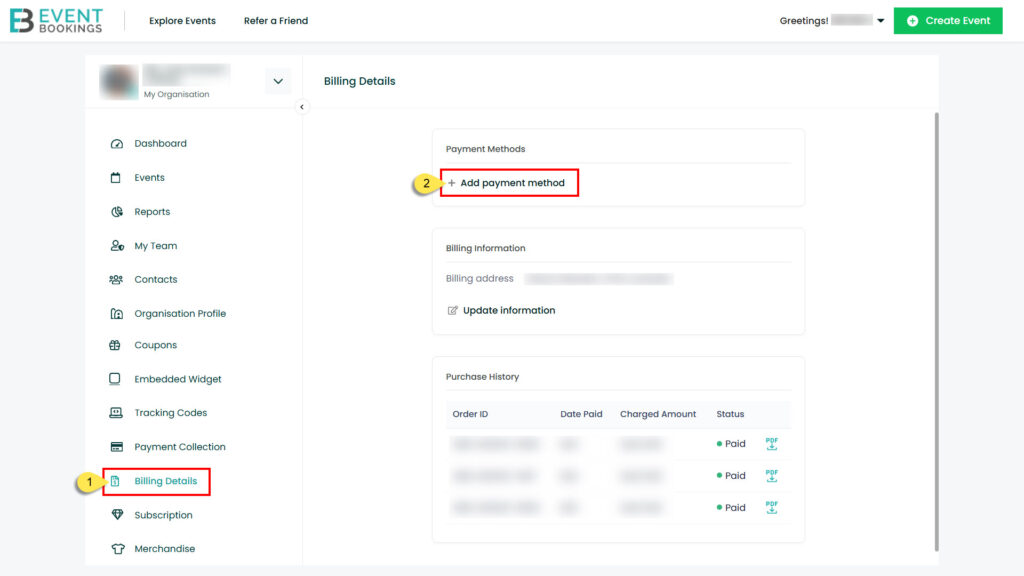
In the left-hand menu, click on “Billing Details” to view your organisation’s billing information.
3. Add a Payment Method
Under the Payment Methods section, click on the “+ Add Payment Method” button.
4. Enter Credit Card Details
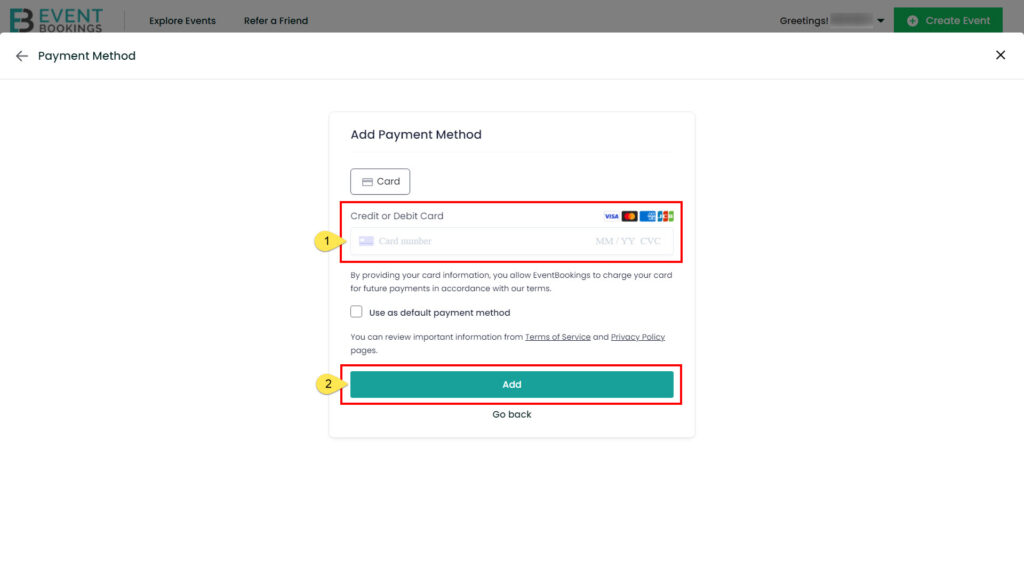
A form will appear where you can securely enter your credit card information. Fill in the required fields and save your changes.
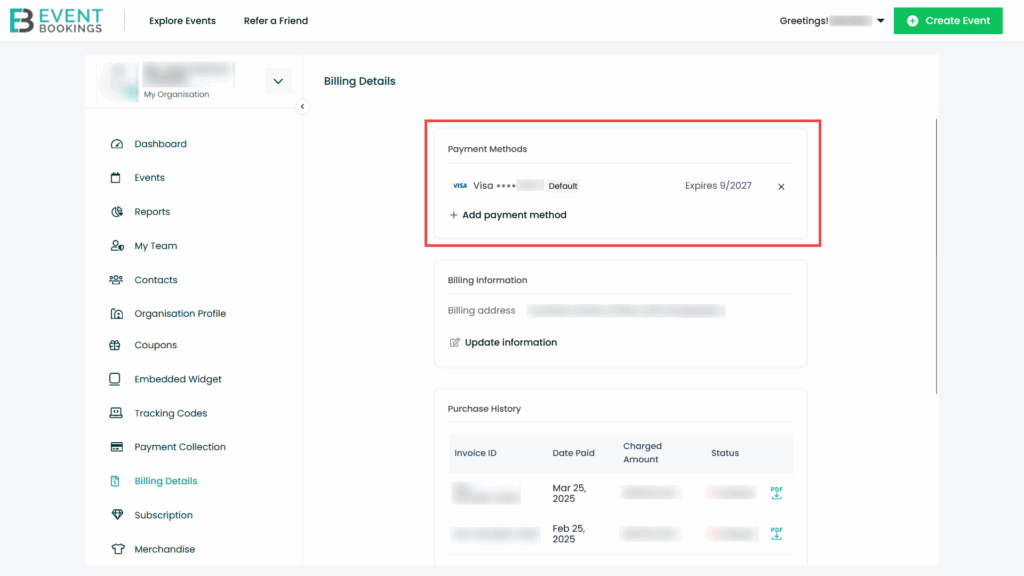
Your credit card will now be added as a payment method and can be used for any billing or subscription charges related to your events.
Was this information helpful?
 Indonesia
  Australia
  United States
  United Kingdom
  New Zealand
  Canada
  Ireland
  Argentina
  Austria
  Bangladesh
  Belgium
  Brazil
  Bulgaria
  China
China  Croatia
  Cyprus
  Czech Republic
  Denmark
  Egypt
Egypt  Estonia
  Fiji
Fiji  Finland
  France
  Germany
  Gibraltar
  Greece
  Hong Kong
  Hungary
  India
India  Italy
Italy  Japan
Japan  Jordan
  Latvia
  Liechtenstein
  Lithuania
  Malaysia
  Malta
Malta  Mexico
  Netherlands
  Norway
  Philippines
  Poland
  Portugal
  Qatar
Qatar  Romania
  Saudi Arabia
  Singapore
  Slovakia
  Slovenia
  South Africa
  South Korea
  Spain
Spain  Sweden
  Switzerland
  Taiwan
  Thailand
  United Arab Emirates