Need to reach out to your attendees directly? Whether it’s a quick reminder, an update, or a personal thank-you note, EventBookings makes it easy to connect with your guests—right from your event dashboard!
Follow these simple steps to send a message to any attendee:
1. Log in to your EventBookings account and go to your Event Dashboard.

2. Navigate to the Bookings section and select the Bookings tab.
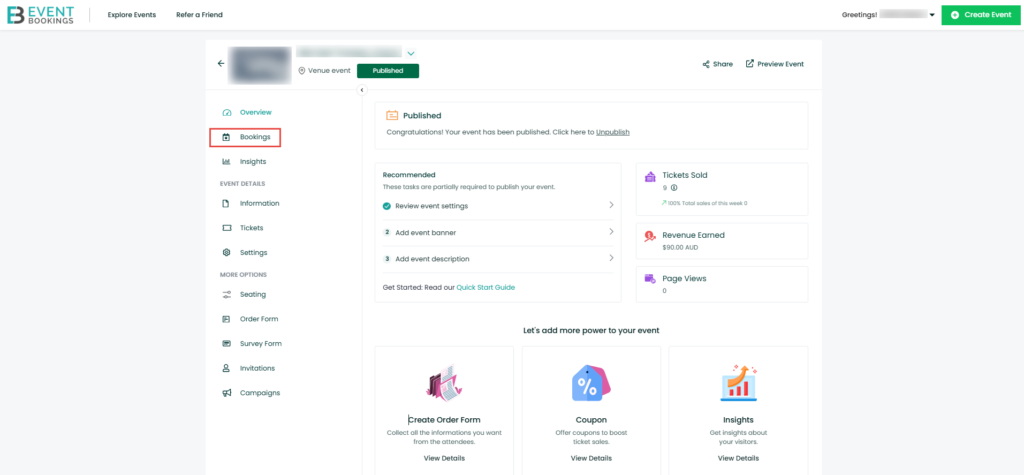
3. Find the specific booking/order you want to contact.
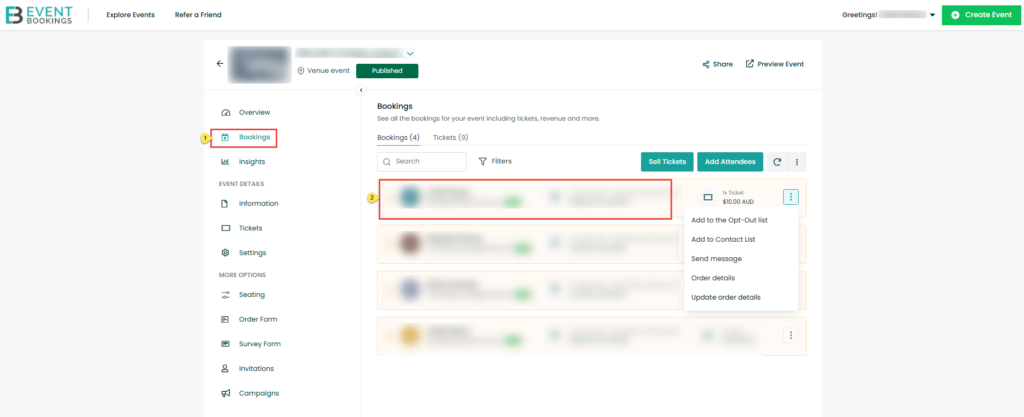
4. Click the three-dot icon next to that order.

5. Select Send Message from the dropdown.

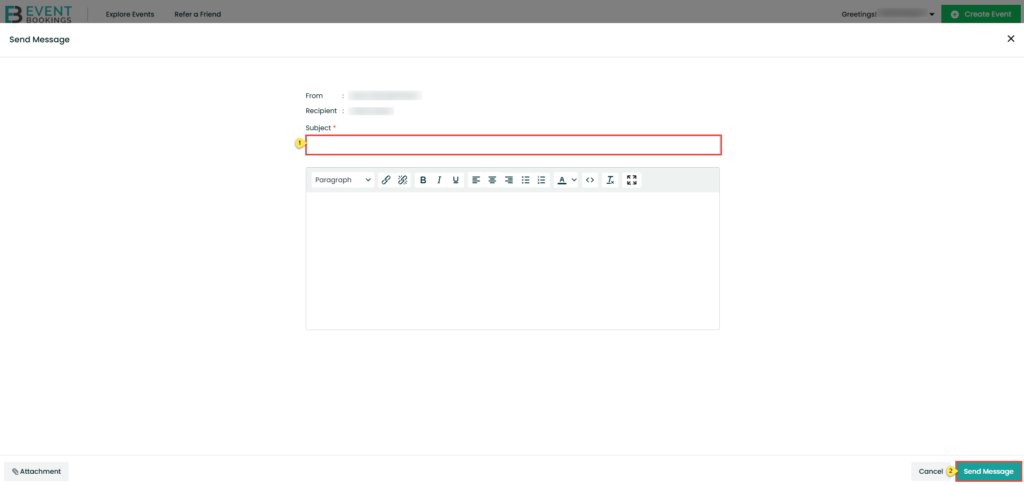
Now, just:
- Enter your subject line and message.
- Click Send Message.
What the Attendee Receives
- The attendee will receive your message via email with the subject line:
“[Your Organisation Name] is trying to reach you via EventBookings.”
Receiving Attendee Replies
- If the attendee replies, their response will land directly in your email inbox with the subject:
“A customer is trying to reach you via EventBookings.”
This ensures you don’t miss a beat and can keep your event communication smooth and professional.
Was this information helpful?
 Jordan
  Australia
  United States
  United Kingdom
  New Zealand
  Canada
  Ireland
  Argentina
  Austria
  Bangladesh
  Belgium
  Brazil
  Bulgaria
  China
China  Croatia
  Cyprus
  Czech Republic
  Denmark
  Egypt
Egypt  Estonia
  Fiji
Fiji  Finland
  France
  Germany
  Gibraltar
  Greece
  Hong Kong
  Hungary
  India
India  Indonesia
  Italy
Italy  Japan
Japan  Latvia
  Liechtenstein
  Lithuania
  Malaysia
  Malta
Malta  Mexico
  Netherlands
  Norway
  Philippines
  Poland
  Portugal
  Qatar
Qatar  Romania
  Saudi Arabia
  Singapore
  Slovakia
  Slovenia
  South Africa
  South Korea
  Spain
Spain  Sweden
  Switzerland
  Taiwan
  Thailand
  United Arab Emirates