Creating a scheduled event on EventBookings allows you to plan multiple sessions with predefined dates and times. This feature is ideal for events that take place at specific intervals without following a recurring pattern. Follow the steps below to create a scheduled event easily.
Follow the steps below to create your scheduled event:
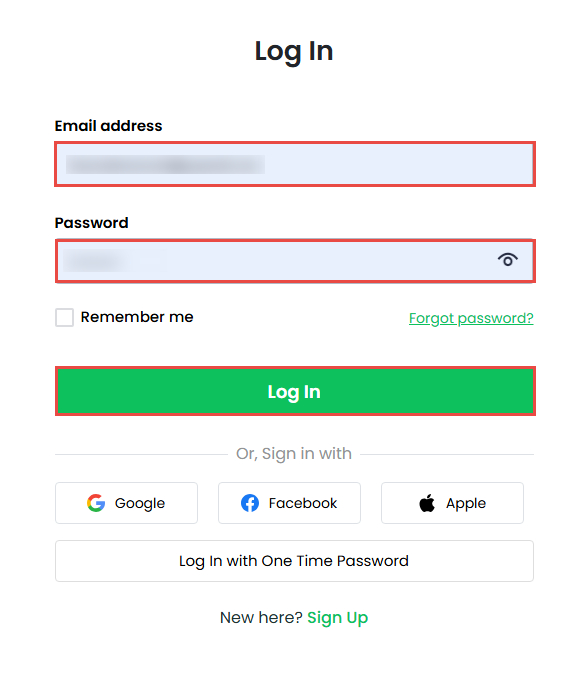
Step 1: Log in to Your Account
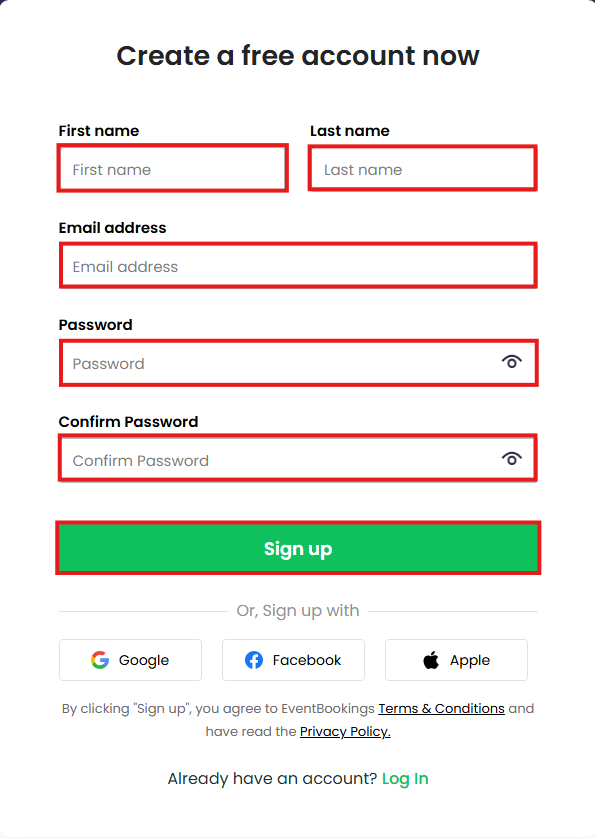
- Log in to your EventBookings account.
- If you don’t have one yet, sign up for a new account.
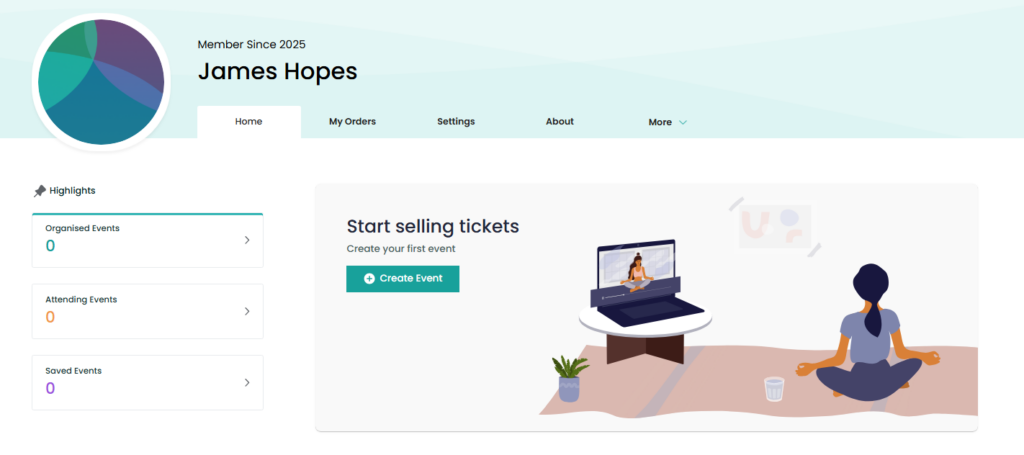
- Once logged in, click Create Event and select your organization.
Step 2: Add Event Details
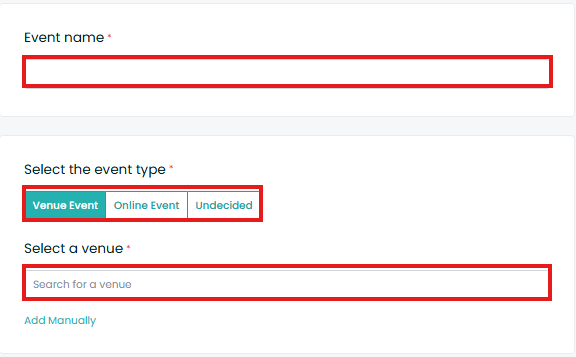
- Enter the event name.
- Add the event venue address.
- Click the Event Repeat drop-down menu and select Schedule.
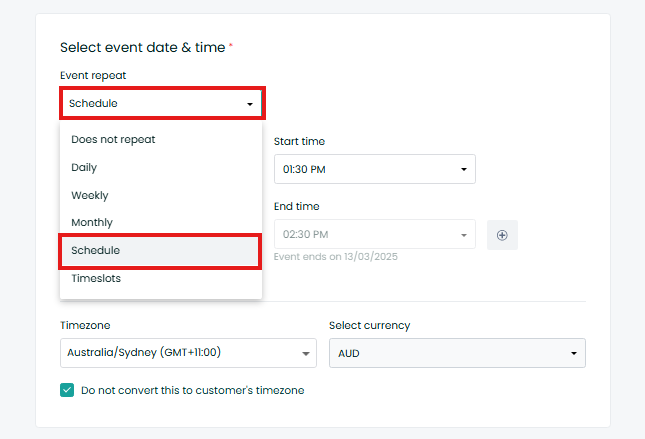
Step 3: Configure Event Schedule
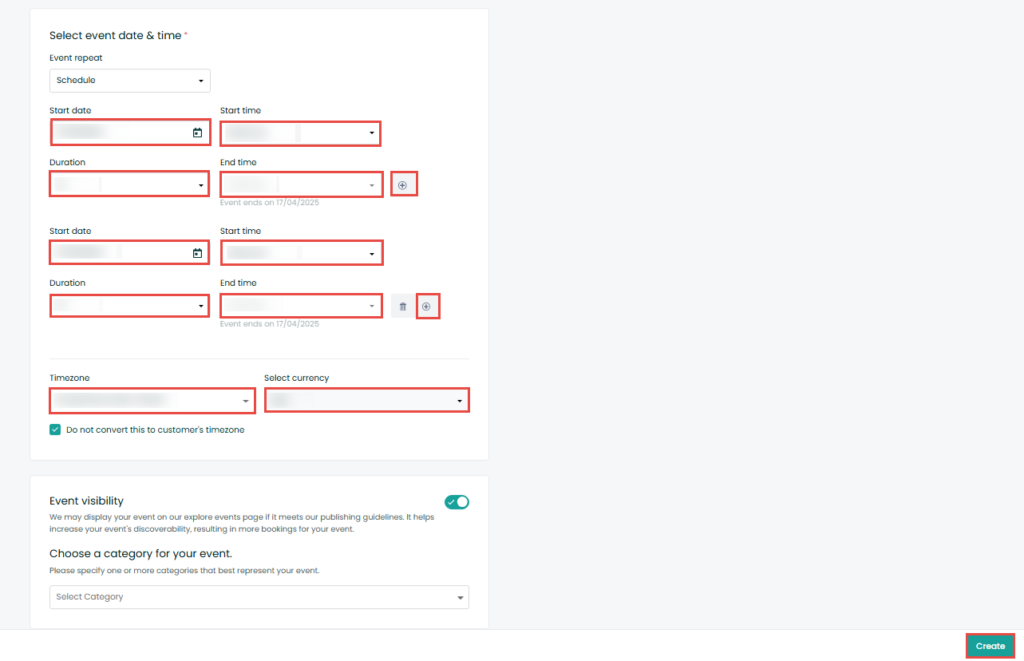
- Add the event date, start time, duration, and end time.
- Click the + button to add multiple schedules.
- Select the time zone, currency, and event category.
- Click the Save button to finalize the schedule.
Was this information helpful?
 Mexico
  Australia
  United States
  United Kingdom
  New Zealand
  Canada
  Ireland
  Argentina
  Austria
  Bangladesh
  Belgium
  Brazil
  Bulgaria
  China
China  Croatia
  Cyprus
  Czech Republic
  Denmark
  Egypt
Egypt  Estonia
  Fiji
Fiji  Finland
  France
  Germany
  Gibraltar
  Greece
  Hong Kong
  Hungary
  India
India  Indonesia
  Italy
Italy  Japan
Japan  Jordan
  Latvia
  Liechtenstein
  Lithuania
  Malaysia
  Malta
Malta  Netherlands
  Norway
  Philippines
  Poland
  Portugal
  Qatar
Qatar  Romania
  Saudi Arabia
  Singapore
  Slovakia
  Slovenia
  South Africa
  South Korea
  Spain
Spain  Sweden
  Switzerland
  Taiwan
  Thailand
  United Arab Emirates