Warning: As an EventBookings organizer, you can cancel an attendee’s order at any time, but you must refund the total purchase price to all the customers before cancelling.
How to Cancel a Booking
1. Go to your Event and click on the “Bookings” tab.
2. Find the booking you wish to cancel. Click the three-dot icon (⋮) next to it and select “Order Details.”

3. On the Order Details page, click the three-dot icon (⋮) next to the Download option.
4. Choose “Cancel Order.”

5. A confirmation pop-up will appear. Select your preferred cancellation option and click Confirm Cancel.
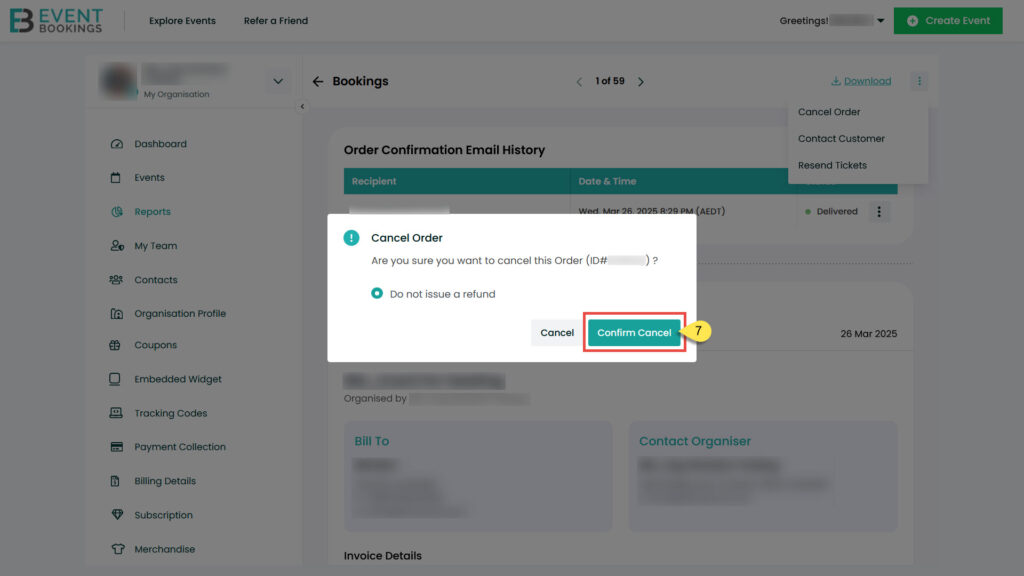
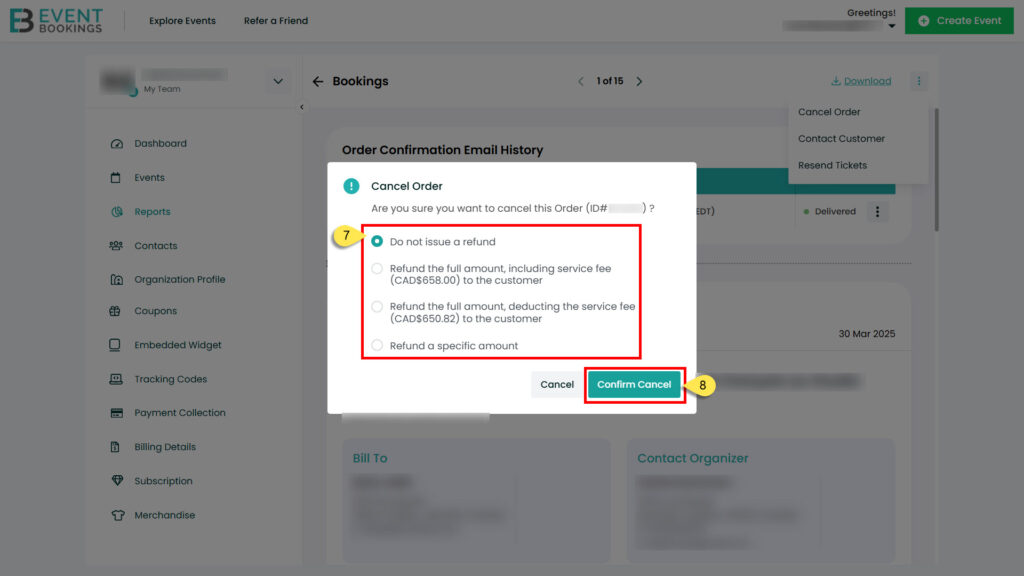
Once confirmed, the booking will be cancelled, and any applicable refund will be processed based on your event’s refund policy.
Was this information helpful?
 Cyprus
  Australia
  United States
  United Kingdom
  New Zealand
  Canada
  Ireland
  Argentina
  Austria
  Bangladesh
  Belgium
  Brazil
  Bulgaria
  China
China  Croatia
  Czech Republic
  Denmark
  Egypt
Egypt  Estonia
  Fiji
Fiji  Finland
  France
  Germany
  Gibraltar
  Greece
  Hong Kong
  Hungary
  India
India  Indonesia
  Italy
Italy  Japan
Japan  Jordan
  Latvia
  Liechtenstein
  Lithuania
  Malaysia
  Malta
Malta  Mexico
  Netherlands
  Norway
  Philippines
  Poland
  Portugal
  Qatar
Qatar  Romania
  Saudi Arabia
  Singapore
  Slovakia
  Slovenia
  South Africa
  South Korea
  Spain
Spain  Sweden
  Switzerland
  Taiwan
  Thailand
  United Arab Emirates